Emberforge takes your book from first draft to a print-ready PDF and an e-book for every store, on your own Windows computer, with your files always in your hands.
15-day free trial with every feature, then a free Basic mode. Windows 10 and 11.
Write, edit, publish and sync: a one-minute tour of the main features.
Emberforge exists to keep authors in control of their own work: on your own computer, in your own files, published on your own terms.
Write, edit, import and publish a whole book without ever using a cloud service or an AI service. There is no account and nothing to sign in to, and Emberforge works offline. AI tools and cloud sync are optional extras: AI uses your own key, and cloud sync encrypts your books before they reach your own Google Drive.
No need to pay for interior formatting or e-book conversion. The full version creates print-ready PDF interiors for print-on-demand services and printers, and EPUB e-books for Kindle, Apple Books, Kobo and every other store.
Trim size, margins, fonts, title pages, running heads, contents: you decide, and when you revise, you simply export again, as often as you like, at no extra cost.
Everything between your manuscript and your readers, in one calm app.
Every book is an ordinary folder of text files in your Documents folder. No account, no cloud lock-in, and any backup tool works. Writing on two computers? Optional encrypted sync uses your own Google Drive.
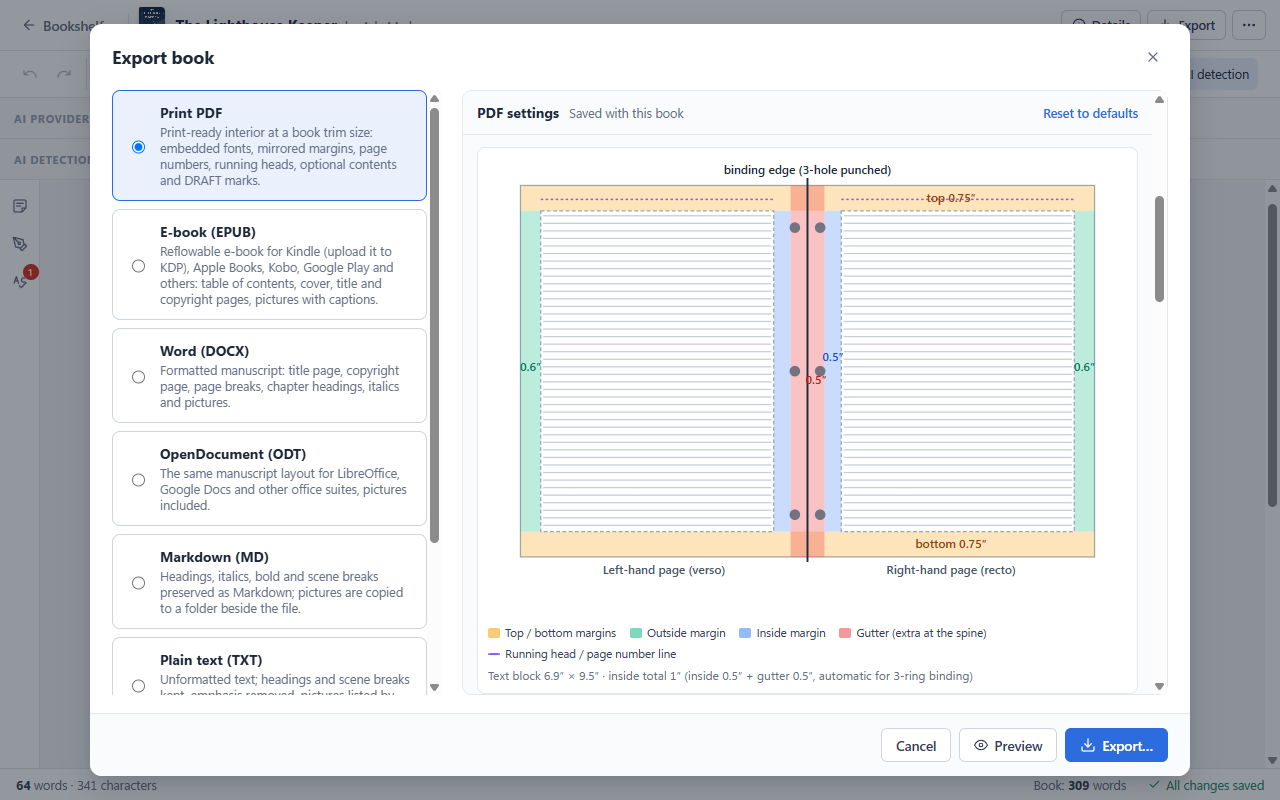
Trim sizes, margins, gutter, fonts, running heads and page numbers set up for print-on-demand services and printers.
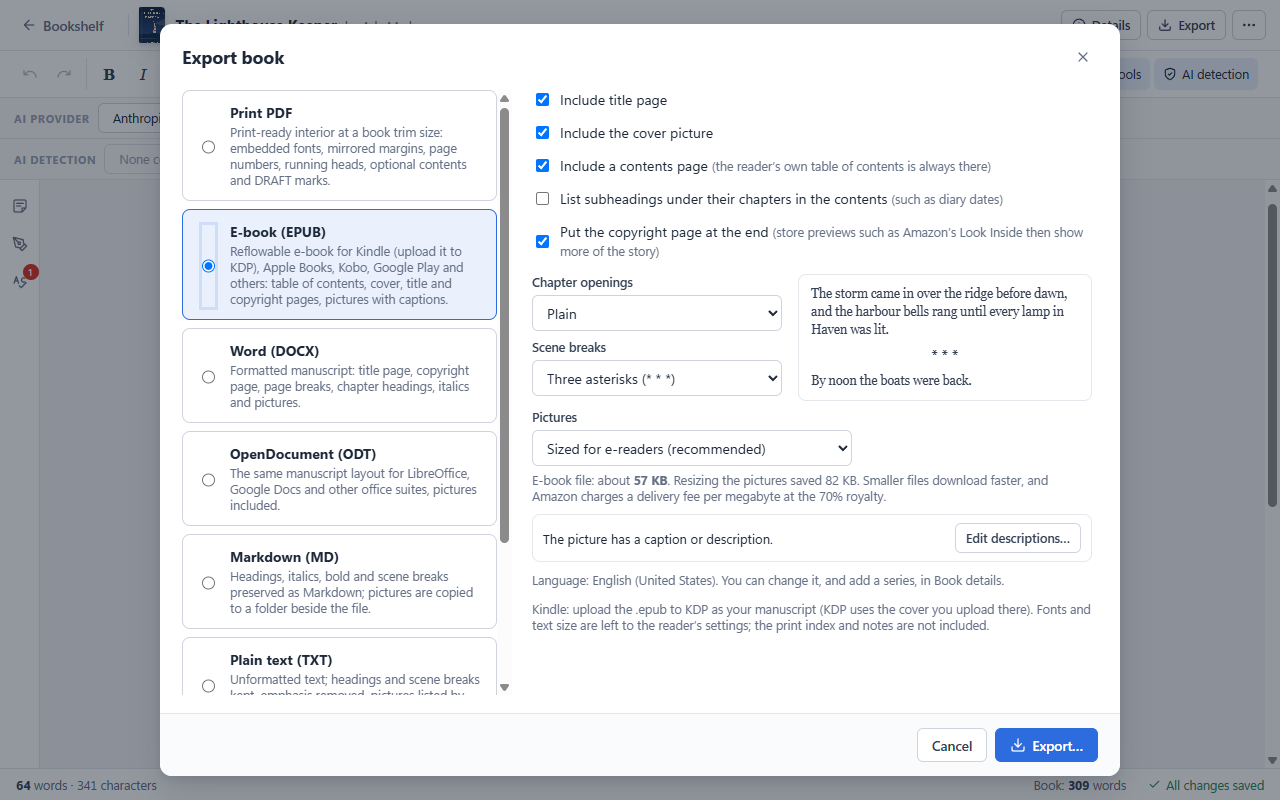
One EPUB for Kindle, Apple Books, Kobo, Google Play and more, with your cover, contents and pictures.
No tracking or telemetry. AI tools are optional and use your own key, so your text goes only where you send it.
Anyone taking a book from manuscript to readers, on their own terms.
Parts, numbered chapters, scene breaks and running heads, with every book of a series on one shelf.
Pictures with captions, dated diary entries as clear sections, and a print-ready book for the family.
Subheadings, pictures, quotes and lists, and an optional back-of-book index.
Copyright pages with an ISBN for each format, a Publisher Control Number for every version, and files for print and e-book stores.
A closer look at what Emberforge does. The user’s manual covers every feature in detail.
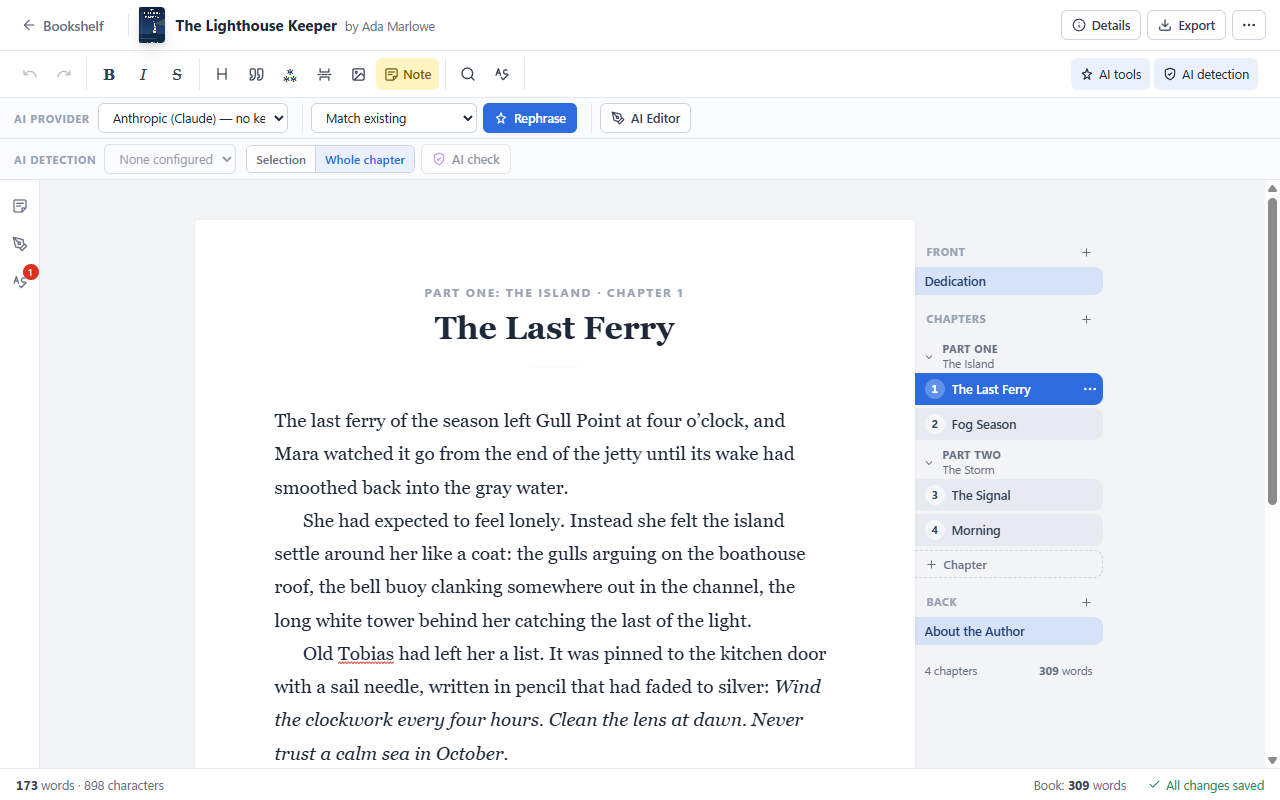
Write in a calm, book-like page with your chapters as notebook tabs beside it.

Send your printer or print-on-demand service a finished interior, with no layout software.

Export a reflowable EPUB that Kindle (KDP), Apple Books, Kobo and Google Play accept.

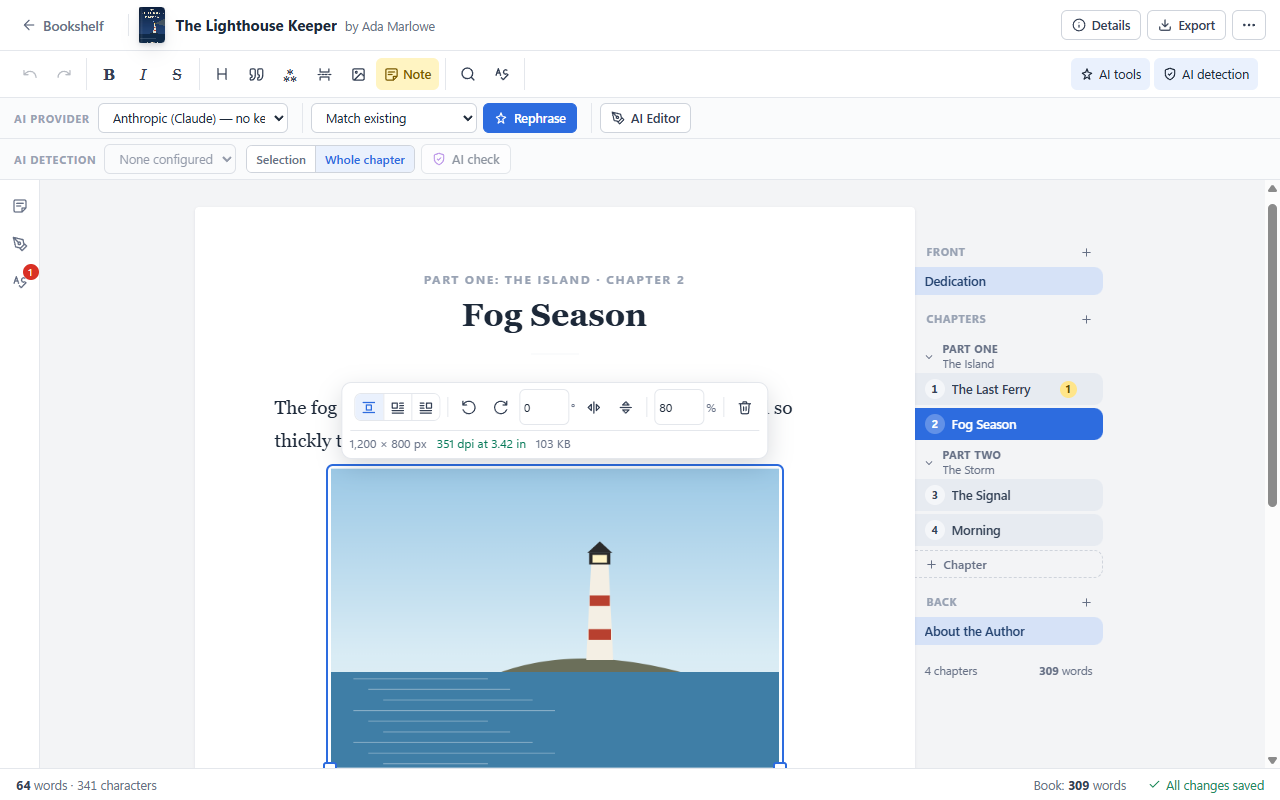
Paste or drop pictures into a chapter and lay them out like a designer.

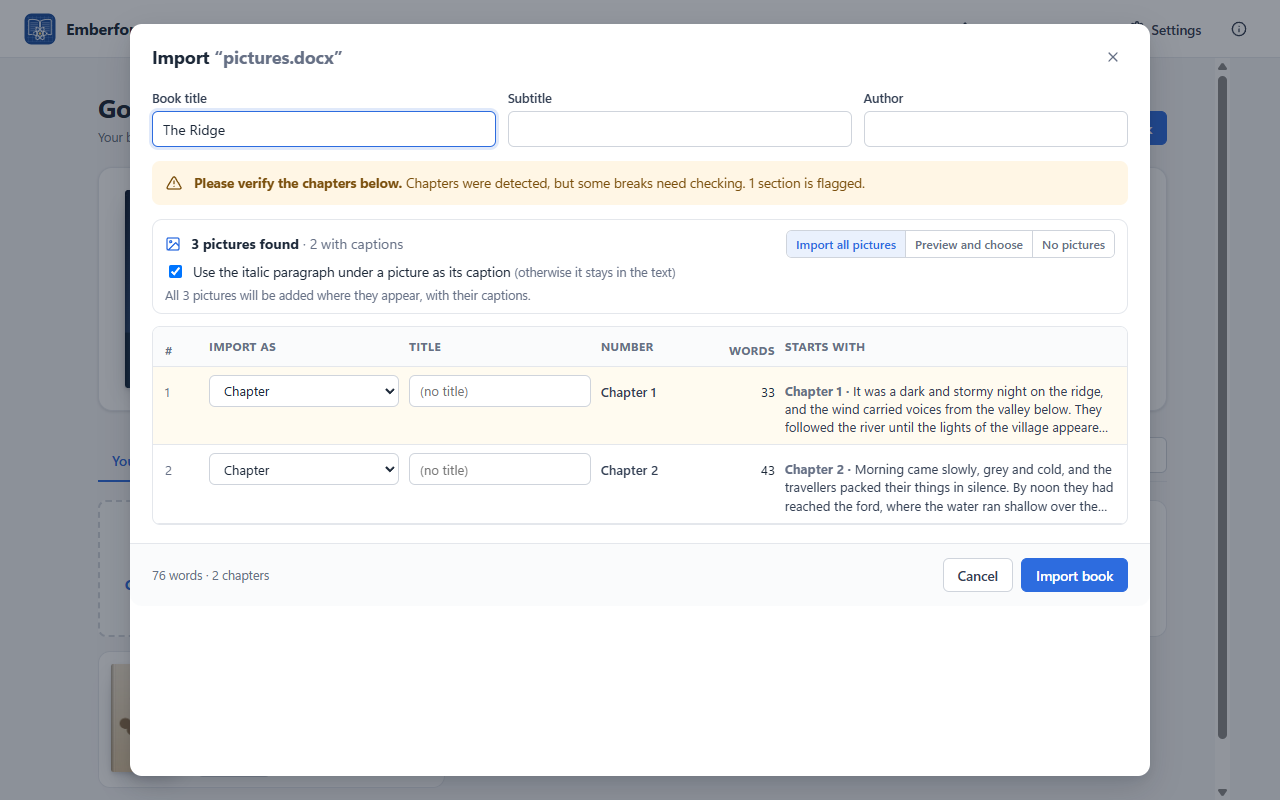
Import from Word, OpenDocument, Markdown or text, and review the chapters before anything is created.

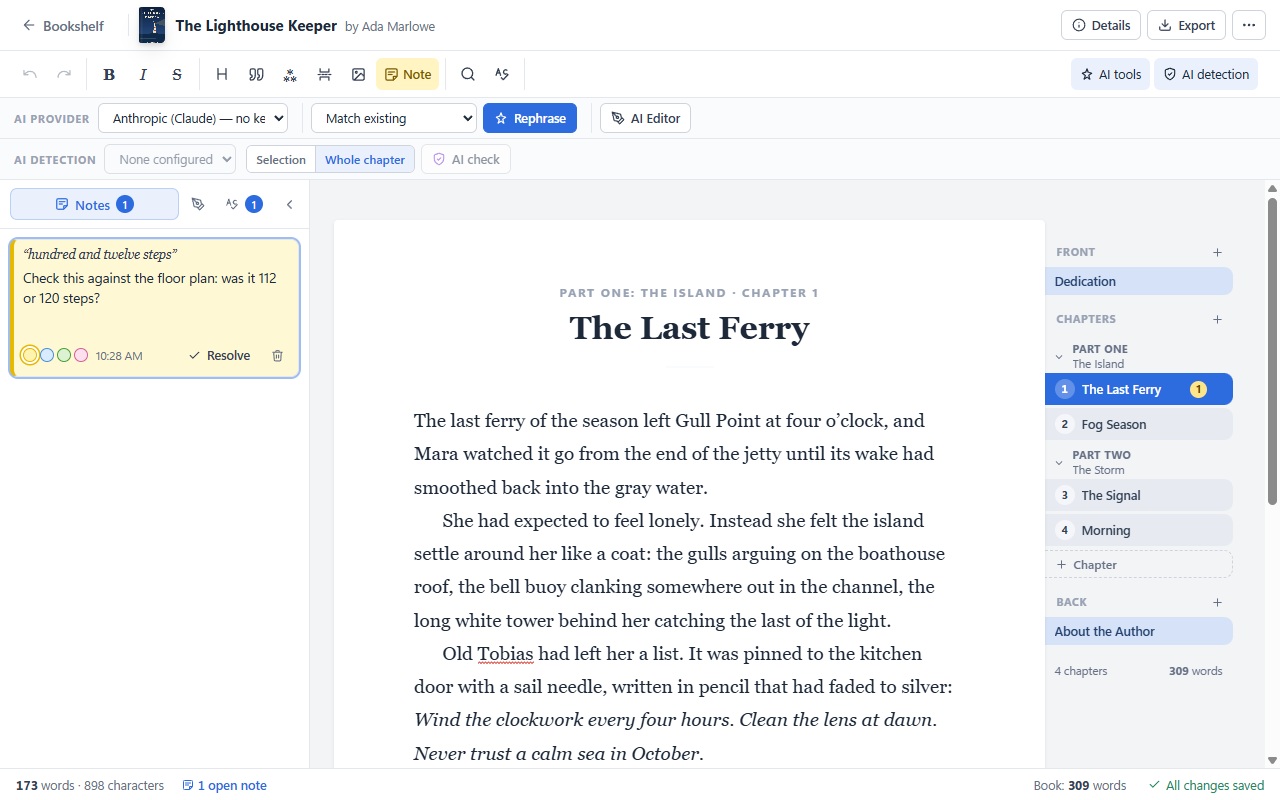
Leave yourself notes on any passage, the way you would in the margin of a printed draft.

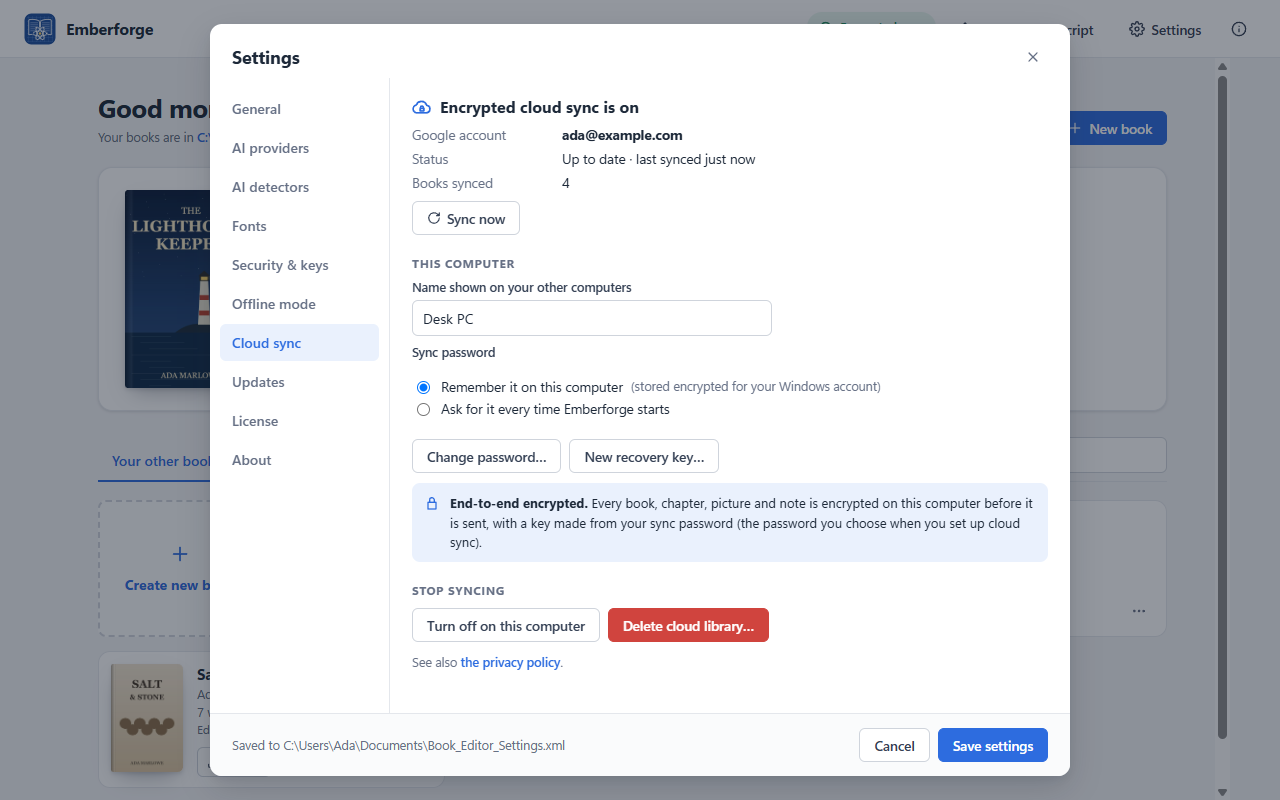
Write on your desktop, continue on your laptop. Optional, and off until you turn it on.

Edition, ISBNs by format, LCCN, rights and fiction statements, with a live preview.
Every new version gets its own number on the copyright page and in the file name, so you always know which draft an editor or reader has. Date-based, numbered or fixed, in the full version.
Date lines become subheadings, and the date can appear at the top of every printed page.
A clean manuscript for editors and agents, plus Markdown and plain text.
Light and dark themes, or your own, and the editor text size and page width you like.
New versions arrive with their release notes; your books and settings are kept.
Emberforge never requires AI. If you’d like a second pair of eyes, connect your own AI account: the AI suggests, you decide, and nothing in your book changes unless you accept it.
Stuck on a clunky sentence? Get another way to say it in one of 21 tones, from Formal to Tense / suspenseful, and keep it only if it’s better.
A second pair of eyes before your editor: an overall review, spelling, punctuation and grammar, and machine-sounding phrases flagged so your voice stays yours.
Some publishers, agents, contests and stores ask about AI-generated content. Check a chapter with Pangram, Originality.AI, GPTZero or Copyleaks before you submit.
For nonfiction, a back-of-book index in minutes instead of hours or an indexer’s fee, with page numbers from your real typeset pages.
Works with Anthropic (Claude), OpenAI, Google Gemini, xAI Grok, OpenRouter and DeepSeek. You pay your provider directly for what you use (Emberforge picks each provider’s low-cost model by default), and there is no AI subscription from us. Your text goes straight from your computer to the provider; we never see it. AI tools are part of the full version and the trial. More in the manual
Start with a free 15-day trial of everything. Afterwards Emberforge keeps working for free in Basic mode, and the full version unlocks the rest.
| Feature | BasicFree, after the trial | Full versionFree for 15 days in the trial |
|---|---|---|
| Books on the bookshelf | Up to 5 | Unlimited |
| Writing and editing: chapters, parts, front and back matter, find and replace, autosave | ||
| Offline spell check, with a dictionary for each book | ||
| Import from Word, OpenDocument, Markdown and text | ||
| Word, OpenDocument, Markdown and text export | ||
| Page sizes for Word and OpenDocument | US Letter | Letter, A4, Legal, A5, B5, book sizes |
| Print-ready PDF | Standard layout | Every setting |
| Trim sizes | 5 × 8, 5.5 × 8.5, 6 × 9 in | All, plus custom |
| 8.5 × 11 in with spiral or 3-ring binding | ||
| Custom margins, gutter, title pages, page numbers and running heads | ||
| Print-ready PDF/X-1a and PDF/X-3, archival PDF/A, and pictures in black and white for print | ||
| EPUB e-books for Kindle, Apple Books, Kobo and more | ||
| Bundled book fonts | ||
| Windows fonts and fonts you add | ||
| Diary dates as subheadings | ||
| Pictures in chapters | Existing pictures | Add, edit and caption |
| Sticky notes | ||
| AI tools: Rephrase, AI Editor, AI detection, AI index | ||
| Publisher Control Numbers and draft watermarks | ||
| Encrypted cloud sync between your computers (your own Google Drive) | ||
| “Created and Typeset with Emberforge” line | Always shown | Your choice |
| Automatic updates |
The full version is an annual license for one person, on up to 5 computers. It does not renew automatically, and you can get a full refund within 14 days. See the license terms.
The installer is the same for the trial and the full version: enter your activation key in Settings → About after you buy.
“Download for Windows” uses our server in the United States; “Download from Europe” uses our server in Frankfurt, Germany. Neither logs your download.
Emberforge-Setup-1.8.14.exe.Already using Emberforge? It updates itself: there is no need to download it again. All release notes · User’s manual
Privacy is part of how Emberforge is designed. XN3 Technologies is committed to protecting your personal data and to complying with the GDPR and the California Consumer Privacy Act.
Books, notes, settings and API keys stay on your computer. We never receive them, and there is no account with us. If you turn on cloud sync, your books are encrypted before they go to your own Google Drive. Offline mode switches AI, cloud sync or both off, so your writing stays on your computer.
No analytics, telemetry, advertising or tracking in the app, and no cookies on our website. We do not sell or share personal information.
Update checks send only what any web request sends, our update servers keep no logs, and you can switch checks off. Outside the US, updates come from Frankfurt, Germany.
Access, correction, deletion, restriction, portability and objection, as the GDPR provides, plus your CCPA rights. Ask us any time at info@xn3tech.com.
Read the full privacy policy and the privacy section of the manual.
Emberforge keeps working in Basic mode, free of charge, and your books are never deleted. Buy the full version at any time to unlock every feature again.
It is an annual license for one person, on up to 5 computers, for example a desktop and a laptop kept in step with cloud sync. It does not renew automatically: Emberforge reminds you before it ends, and if you don’t renew, it continues in Basic mode with all your books. See the license terms.
Yes. Email info@xn3tech.com within 14 days of your purchase for a full refund, no questions asked.
Yes. Export an EPUB and upload it to Kindle Direct Publishing as your manuscript; KDP accepts EPUB directly. For print, export the PDF interior.
No. Writing, importing and exporting all work offline. Emberforge goes online only to check for updates (you can switch that off), for a brief daily license check once you activate the full version (Basic mode and the trial never make one), and for the optional AI tools and cloud sync. Offline mode switches AI, cloud sync or both off with one setting.
In Documents\Book_Editor on your computer, one folder per book, with each chapter as a text file. Nothing is uploaded unless you turn on cloud sync.
Yes. With the full version, turn on Settings → Cloud sync on both computers and sign in to the same Google account. Your books are encrypted on your computer before they go to your own Google Drive, using a sync password only you know, and they are kept in step automatically. Google stores only data it cannot read, and nothing passes through us.
No. AI is optional and Emberforge works fully without it. If you want the AI tools, you use your own account with a provider such as Anthropic, OpenAI or Google and pay them directly for what you use; there is no AI subscription from us.
No. Emberforge prepares your book’s interior (the print-ready PDF) and the EPUB e-book. Covers are made separately, by a designer or with the store’s cover tools; the PDF preview tells you the page count your designer needs for the spine.
Emberforge creates print-ready PDFs with embedded fonts at standard trim sizes, which print-on-demand services such as Kindle Direct Publishing accept. Choose the same trim size in Emberforge and at the service, and check the service’s own requirements before you upload.
Yes. Every book is a folder in Documents\Book_Editor: copy it to the new computer and enter your activation key there, or let cloud sync bring your books across. The manual explains how to move your AI keys as well.
Emberforge is made for Windows 10 and 11.